
Continuing our Inspired series, this excerpt addresses animation blocking.
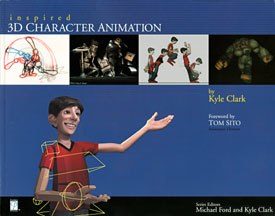
This is the next in a number of adaptations from the new Inspired series published by Premier Press. Comprised of four titles and edited by Kyle Clark and Michael Ford, these books are designed to provide animators and curious moviegoers with tips and tricks from Hollywood veterans.
In this chapter, youll look at the first stages of creating animation in the computer. With proper planning, I can now begin setting actual key frames on my character. This initial process begins with very fast manipulation of characters and ends with a series of poses that accurately reveal the intent of the scene and combine the fundamentals, tools, animation processes and acting.
Blocking
The term blocking refers to the initial stages of a shot in which the action is roughed or blocked in. After the blocking pass is finished, the motions will still need to be finessed but the shot contains the basic movements and timings. You might equate this with a sculptor working on a bust of a famous figure; he has generated the entire form for his statue but still needs to add details, such as eyes, nostrils, lips and ears. The form is recognizable but lacks sophistication and artistry. Blocking in animation is similar to this in that it gives the animator, supervisor and director an idea of the artists direction and approach. The animator should wind up with a piece of animation that has clarity and strong poses but lacks the refinement needed to meet the quality desired by the director and the expectations of the audience.
This is also the place in which the majority of revisions occur. The blocking pass will also allow the director to see a version of your shot that can be easily modified before a great deal of time has been spent on a scene. Unfortunately, change is inevitable in any form of digit al production. Id much rather make corrections on a motion that has a few keys rather than after I have sweated through modifying and off setting every finger.
This method ultimately assists in the overall efficiency of a production. As Ive said before, animation is time intensive. The last thing you want a crew to do is spend valuable workdays producing content that is unusable. If an effort is going to be made, why not make sure youre going down the right path? Blocking limits the amount of wasted time and usually keeps the animator focused on the necessary goal. Now Ill discuss the various stages of this process.
The Quick Pass
I start each shot by making a quick pass of the major actions. I use the COG and feet controllers and hit the key moments in the shot. (See Chapter 4: Tools of the Trade, for a diagram of the character rig being used.) Im not concerned with specific poses and I often hide the arms to simplify the character. Theres no up and down motion on the character; he glides around as he steps through the various marks in the shot. I also make a habit of keeping all keys for every controller on the same frame. For example, if a key is set at frame 15 for the COG, Ill also place a key at that location for any other controllers that are being modified. This will dramatically shorten the time needed to make changes when timing modifications are needed.
Although this stage lacks detailed animation, I am referencing the timing notes made during the planning stage. For example, if the character stands facing the wall for 30 frames before moving, Ill use the COG controller and match that motion. This process will allow me to hit the import ant beats in a minimal amount of time. In fact, I should be able to complete this phase for three shots in about an hour. The focus is on making sure that the gestures and movements chosen can occur in the space provided by the set and camera view.
Because this sequence of shot s is tightly connected, Im going to work through all three at the same time. I need to be absolutely sure that the action flows naturally between cuts. Ive labeled the series sf01, sf02 and sf03. These abbreviations serve to mark shot number one, shot number two and shot number three, respectively. Most productions will have some sort of shot-naming convention. Ill also add a version number based on the phase of the shot. For example, the quick pass Im making here will be labeled sf01_v1, whereas the same finished product might have a _v30 associated with it. Again, this is just for organizational purposes and to prevent overwriting old versions of the shot. A new version will be associated with each pass of the scene. Now its time to get started!

 [Figures 1 & 2] Frame 1 of the shot, sf01 (left). The starting position was generated by moving the ALL node and rotating the COG and feet controller. The pause and turn frames for shot sf01 (right).
Shot one, or sf01, is first. The shot begins with the character facing away from the camera. He pauses briefly and then turns around while making a few stretching motions. The first step is setting his starting position. Figure 17.1 shows the initial frame. I place him at the proper distance from the desk and with enough room between his body and the wall to make the turn. The ALL node is used for his translation and the COG and feet nodes rotate the body. This allows for the most flexibility when I begin breaking up the body as it turns around. Using the ALL node to rotate the character entails counter-animating the feet. Remember, the ALL node affects everything.
Now that the first position is set, I need to add a few more beats. I want the character to briefly pause before he begins the turn, so I select the COG and feet controllers and copy the pose from frame 1 and paste it at frame 18. (I could have also held down the middle mouse button and slid the time line. This would have prevented the scene from updating and allowed me to set a key without the character moving.) Once the pause is generated, I need to create the turn. I want a slow rotation and have chosen frame 74 as the last frame. The same controllers are chosen and key frames are created. Figure 2 shows the first two poses.
The next step is the stretching action. Im going to continue setting keys on just the COG and feet during this stage, although I will likely remove the side-to-side rotation being set on the COG. Id rather use the chest and hip controllers to get that pose. This is a quick and dirty way to see whether the generic action is going to work.
As the character finishes his turn at frame 74, he makes a motion to his right (screen left in Figure 3). Ive placed the key at frame 83 and held that position until frame 95. (I again copy the value pose at 83 and use it to hold the character until frame 95.) He then leans toward his left (screen right in Figure 3) with a similar stretching motion. That pose occurs at frame 101 and lasts until frame 1 15. There is a slight recovery to his original position (frame 74) that ends at frame 121. Figure 3 shows the sequence of images.

Its time to check the animation with a quick render. As expected, some minor changes need to occur. The transition from screen left to screen right (frames 95 through 101) is happening too quickly. Im limited to the 121 frames of shot length and need to borrow a few frames from another part of the shot to slow this motion down. I think the turn (frames 18 through 74) could lose a small amount of time and still be effective.
The scene summary in the dope sheet allows me to move the range of keys to add an additional three frames to the transition from screen left to right. Ill select the keys at frames 74, 83 and 95 and shift them backward three frames. That makes the new stretching transition 9 frames.
After reviewing a fast render of the 121 frames, Im satisfied with the initial pass on this shot. Ive hit the major beats and Im comfortable that the actions planned will work sufficiently. This process needs to continue with the two remaining shots. Shot number two, sf02, is a close-up and primarily involves one major position. Ill address more of the details in a later section in this chapter. Now on to the third shot in the sequence it has a bit more complexity due to the difficulties of walking and entering the chair.
![[Figure 4] The starting point for shot sf02.](http://www.awn.com/sites/default/files/styles/inline/public/image/featured/2083-inspired-3d-blocking-your-animation-part-1.jpg?itok=aFH72JCG "[Figure 4] The starting point for shot sf02.")
As a starting point, Im using the last frame from shot sf01. That gives me the generic starting position of the character and should match closely enough for this first phase. I also need to adjust the chair position. It wasnt placed properly in the layout scene. Figure 4 shows the initial frame.
The first order of business is a pause at the beginning of the shot. For the first half of this shot, Im going to continue with my pattern of using the feet and COG controllers. Ive selected both sets of IK handles and generated a key at frame 12, exactly like frame 1. Remember, some modifications might be necessary depending on the curve type you have set as default. The standard curve setting will probably generate a bubble between these two frames that might cause unwanted movement.
The next step is roughing in the character sitting down in his chair and sliding toward the desk. I placed keys at frames 37, 45 and 53. That provided 25 frames to make two steps (the move between frame 12 and frame 37), 8 frames of anticipation before sitting (holding the pose between frame 37 and frame 45) and 8 frames to land in the chair (the move from frame 45 to frame 53). Figure 5 shows the sequence placement.
![[Figure 5] The character approaches, anticipates and then sits in the chair.](http://www.awn.com/sites/default/files/styles/original/public/image/attached/2083-i3d0517-05.jpg?itok=ebcJQfq4 "[Figure 5] The character approaches, anticipates and then sits in the chair.")
Now that the character is seated in the chair, I need to slide him toward the desk and add the beats as he begins to work on the computer. The choice of controllers needs to be modified at this point. It will be necessary to add the chair control and the right and left hands. It would be difficult to portray the character working on his machine without the use of arms.
The character is currently sitting down at frame 53 in the animation. I need to place a key on the chair controller at that moment before I begin moving it around. The next pose occurs at frame 65. This provides 12 frames for the character to spin toward the desk. Frame 75 should be enough time for the character to position himself against the desk. Keys are placed on the chair, feet, COG and hands at that location. Figure 6 shows the progression.
![[Figure 6] The spin and approach to the desk.](http://www.awn.com/sites/default/files/styles/original/public/image/attached/2083-i3d0617-06.jpg?itok=IkklUpBf "[Figure 6] The spin and approach to the desk.")
Im going to forego the remaining steps to complete the scene in order to provide some feedback. Im more concerned with you understanding the process, so walking through the remainder of the poses is unnecessary.
Shots f03 did require a few timing changes. The 12 frames allowed for the character to turn in his chair werent sufficient. I needed to add four frames to that section. I selected all the controllers in the scene and used the dope sheet to adjust timings. Additional changes will be necessary, but this animation should serve as an initial pass for the three shots.
Although Ive answered a few necessary questions about the scene, it doesnt contain enough information to explain the point of the scene. If you remember the advice that Sean Mullen gave in his interview in Chapter 10, he suggests not showing a piece of animation until you are absolutely certain that it can explain itself. It isnt in your best interest to show your work if the director or supervisor cant understand what you are trying to achieve. That is exactly why some additional elements are required to complete the blocking phase.
To learn more about animation blocking and other topics of interest to animators, check out Inspired: 3D Character Animation by Kyle Clark; series edited by Kyle Clark and Michael Ford: Premier Press, 2002. 266 pages with illustrations. ISBN 1-931841-48-9. ($59.99) Read more about all four titles in the Inspired series and check back to VFXWorld frequently to read new excerpts.


Author and series editor, Kyle Clark (left), and series editor Mike Ford (right).
Series editor Kyle Clark is a lead animator at Microsofts Digital Anvil Studios and co-founder of Animation Foundation. He majored in film, video and computer animation at USC and has since worked on a number of feature, commercial and game projects. He has also taught at various schools, including San Francisco Academy of Art College, San Francisco State University, UCLA School of Design and Texas A&M University.
Series editor and author Michael Ford is a senior technical animator at Sony Pictures Imageworks and co-founder of Animation Foundation. A graduate of UCLAs School of Design, he has since worked on numerous feature and commercial projects at ILM, Centropolis FX and Digital Magic. He has lectured at the UCLA School of Design, USC, DeAnza College and San Francisco Academy of Art College.





