
Ellen Wolff discovers the charmed life of Enchanted from Tippett VFX Supervisor Thomas Schelesny.

I have been a Flame user since 1999 and still think it is the best system for compositing and design work. I was lucky enough to be part of the Flame 2008 beta team from March to September of 2007 and was able to provide feedback to the beta team during the entire time. At my current company, Click 3x, we are running three Flame Linux systems, one Smoke on Tezro and a couple of Burn render nodes. Two of the Flames ran the beta software, but I was the only one to give the software some real world workouts with client sessions. Crazy, I know, but there was a method to my madness. Flame 2008 has gone through a major re-design and I found that going back and forth between 2007 and 2008 annoying. It was better to quit using 2007 "cold turkey" and just get used to using 2008.
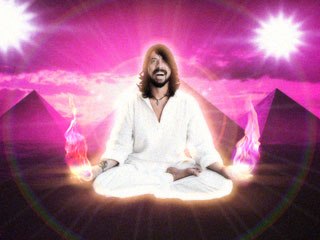
With the 2008 release there is now 100% compatibility with action and DVE setups and a standardized UI for many of the Smoke and Flame modules. Flame now has a Multi-Layer and Multi-Track Timeline that is essentially the Smoke timeline. It is accessible off the desktop but also in Batch. I was very excited about this feature. I come from an editorial background and to finally have the ability to scrub through a proper timeline and add multiple layers of audio is a huge bonus for us Flame artists since we have to cut on a daily basis. I used this feature almost immediately for a comical MTV broadcast job that featured the rock band Foo Fighters. I was able to cut together my scenes easily, layer various audio files and even add a flanger effect to audio. That is something I thought I would never do with the Flame! Having a fully functional timeline (as opposed to the Batch timeline in previous versions), I was able to explore using Segment FX, which allows me to have uncommitted vfx shots into an edited timeline. I used this for the music video Stop Me... for Mark Ronson and director Matt Lenski. We had to deliver more than 100 shots in less than two weeks and having the ability to work scene to scene and revise vfx shots in a long form piece with the director was invaluable. For my next big project I will be using Segment FX much more.
The other big change is the UI. The UI is now a 16:9 layout and many buttons and functions have been moved around. Several of the everyday or universal functions are in the same areas but are unified for all modules. That being said, there are enough changes that you will have to re-familiarize yourself to get around in the Batch and Action modules. It is so different that we are offering to our freelancers a chance to come in to try out the software before they are booked on jobs. The changes are not simply cosmetic. There are many improvements such as the new node bin that provides much faster access to everyday tools and the tabbed menu parameters that enable users to access Object and Axis features much faster. From my experience, the node bin is a big time saver: allowing me to drag and drop nodes within the Action schematic instead of bringing up a sub-menu.
There a couple of new features in action as well: DVE objects and a new Duplicate feature. The Duplicate feature is very handy. I used this for a beauty job when I was doing skin retouches and deformations to a popular tv actress. I needed the same extended bicubic for multiple layers that would change simultaneously as I animated. DVE objects are interesting and make swapping setups between Smoke and Flame easier but, to be honest, I don't see myself using this feature too often.

Meanwhile, Batch Paint has been re-designed. I never used Batch Paint in previous versions of Flame. It just wasn't an improvement upon the Paint module available from the desktop and very counter-intuitive. The redesigned Paint module is very helpful. The rotation and onion skinning features are very welcome in the paint module. I used these features in the Stop Me video as well. We worked with an illustrator that would design style frames or minimal keyframes of the cartoon tears that eventually flood Los Angeles. With the Batch Flame tool, I was able to create my own animation cycles and revise others easily. We had many revisions to the artwork for Stop Me. The ability to save my paint strokes was a huge timesaver. I did have some problems working with unusual resolutions and experienced more frequent crashes. I hope this is resolved in the next service pack release. Another improvement is FBX import/export support. FBX import/export was a feature that was included way back to version 9.5 but sadly it never functioned properly. I did a test exporting a camera from Maya with some models and it worked perfectly.
Aside from improvements to the existing software, a Motion Blur/Motion Vector tool has been added. In the past, I used sparks to add Motion Blur to CGI and time-warped footage with mixed results. The Motion Blur/Motion Vector tool in 2008 is fantastic. I used this for Sprint/MTV Movie Awards and Animal Collective's Peacebone and had great results. The post Motion Blur looks very convincing and is fast to render. Another new addition is 16-bit float support and Open EXR import support. Unfortunately, it is not supported in all modules.

Flame 2008 is a big step forward for Autodesk, showing a strong commitment to the product by redesigning the interface, including some much needed new features and many improvements to the existing software. The Multi-Track, Multi-Layer Timeline will change the way Flame artists work. My only complaint would be a lack of new creative tools; for example, I would like to see the addition of shadows into the Flame 3D compositing environment or a re-tooled particle generator. These are old requests that may or may not have been easily addressed with the SGI hardware. Hopefully, with the Linux platform, some of these features can be added. We'll just have to see where Autodesk takes Flame in the future.
Mark Szumski is the senior visual effects artist at Click 3x team. With 10 years of experience, he has worked on films, commercials and music videos. Since being at Click 3x he as received five BDA awards, a MTV2 Video of the Year Award and worked on the Venice Film Festival Winner Man from Plains directed by Jonathan Demme. Recent commercial credits include Burger King, Foo Fighters promos for MTV and Olay. Also he served as director of visual effects on music videos for Animal Collective, Mark Ronson and the environmental awareness PSA for Dr.Octagon.





